 - Knowledge Base
 A PBX receives incoming calls, identifies the destination extension or department, and routes the call accordingly. It manages internal communication between users and connects outgoing calls to external phone networks while providing features like call transfer, voicemail, and call forwarding.
In a CRM that includes PBX (phone system) integration, the Call History feature under the PBX tab is essentially a detailed log of all phone activity tied to contacts, leads, and accounts.
- Sign in to AgentFront CRM.
- From the top menu, select PBX.
- The PBX – Dashboard opens by default.

- Select Call History from left side panel.
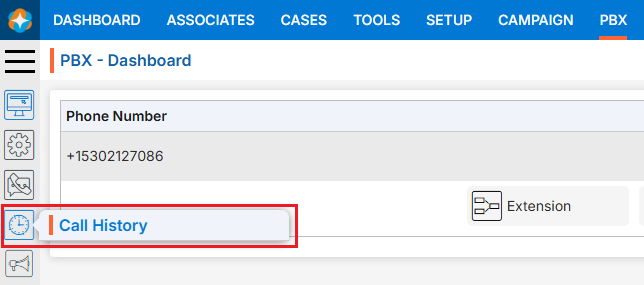
- The Call History page will open.
- This Call History page will display all available call history logs by default.
- There is also a filter option to search for specific history records.
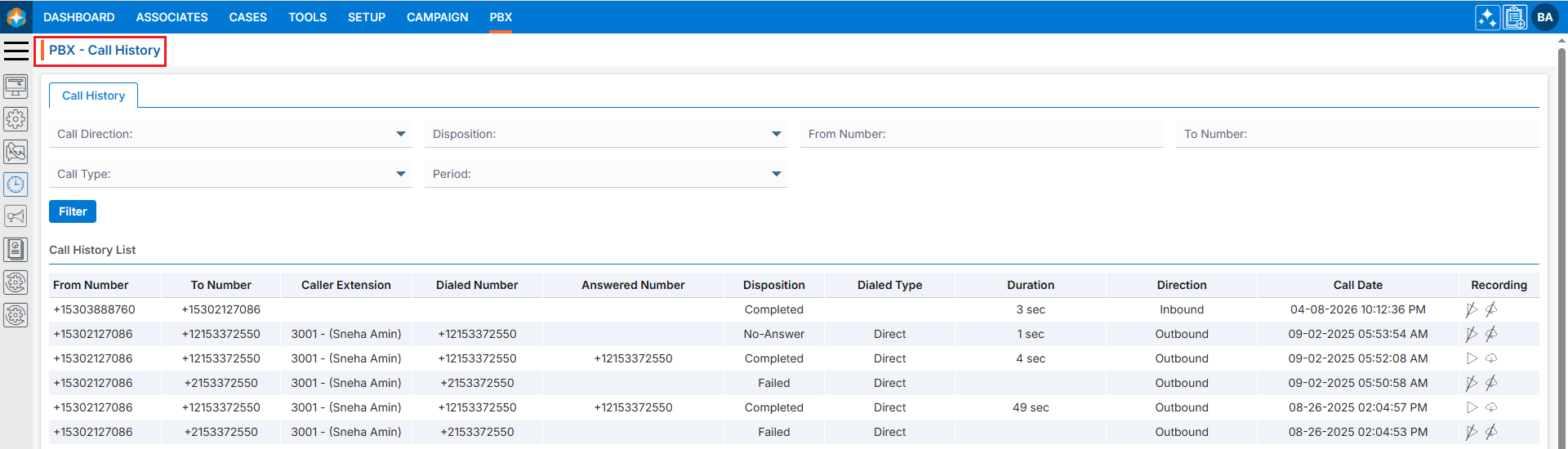
History Details:
- The Call History page displays call history records in a structured list view.
- Each entry represents a call record and includes:
- From and To Phone number.
- Caller Extension.
- Dialed Number
- Answered Number
- Disposition (Call status)
- Dialed Type
- Duration
- Direction
- Call Date and Time
- Call Recorded Audio with Play (
 )/Download (
  ) and No Play (
  )/No Download (
 ) options:
- The Play ()and Download ( ) icons will be enabled only for records where communication was successfully executed.
- There will be No Play () and No Download () icons for records where communication was not successfully executed.
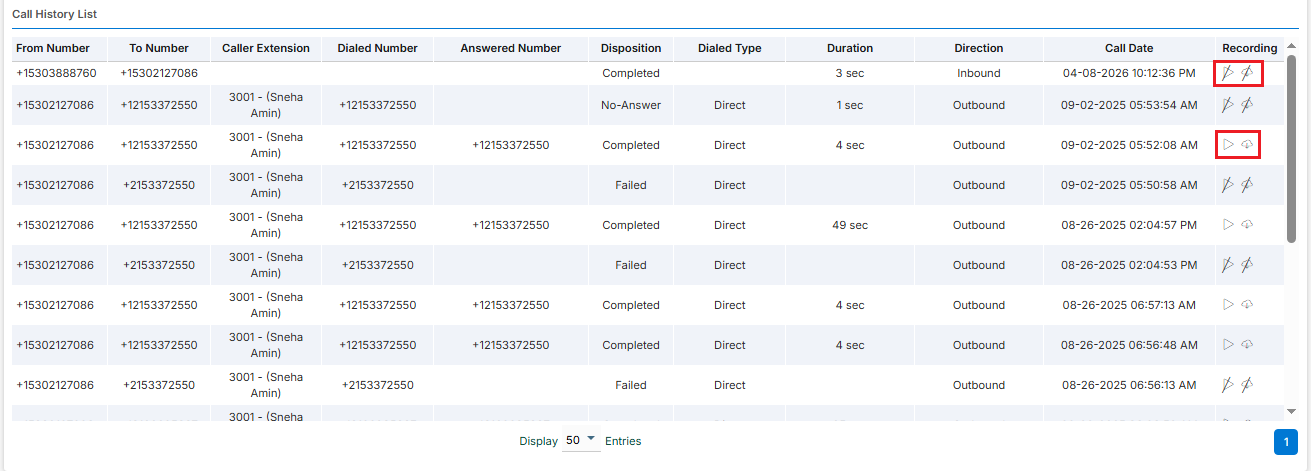
- The Play (
- Each entry represents a call record and includes:
Filter Call History:
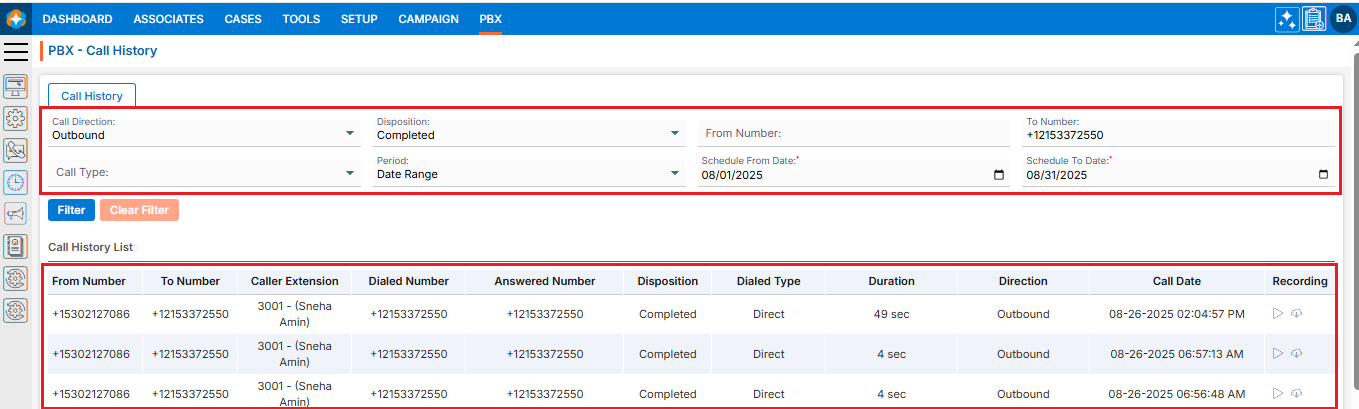
- Users can search for specific call history data using the filter option.
- Following fields are available to apply Filter:
- Call Direction
- Disposition
- From Number
- To Number
- Call Type
- Period
- Select the required field(s) and click on Filter.
- Based on the selected fields the call history results will be displayed.
 0
0
 0
0