 - Knowledge Base
 The Print feature allows users to print only the data displayed on the current page, based on the applied filters or search criteria. This ensures precise output and helps users generate focused and relevant printouts efficiently.
- Sign in to AgentFront CRM.
- From the top menu, select CASES.
- From the top-right options, click on the Print button to initiate the printing process for the data currently displayed on the screen.

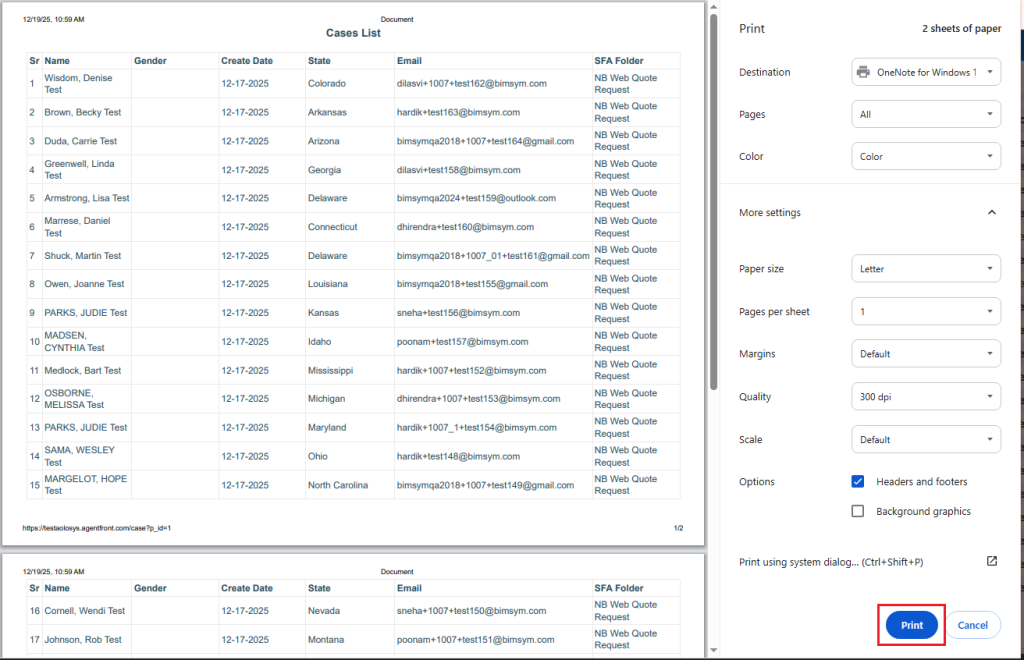
- A new pop-up window will open, presenting a Print Preview of the selected data. This preview allows users to review the information before proceeding with printing.
- Select the required print options as needed, and then click the Print button to complete the printing process.
 0
0
 0
0