 - Knowledge Base
 An inactive user login occurs when a user attempts to access an account that has been deactivated due to security policies.
When login to Inactive user login
- Open Agentfront CRM link.
- Enter the username and click the ‘Continue’ button to proceed.
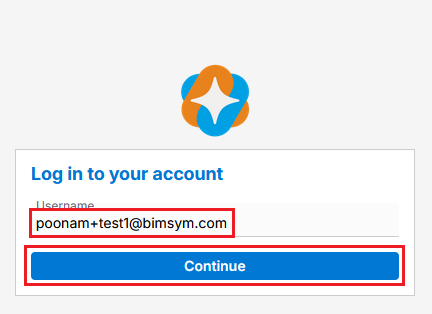
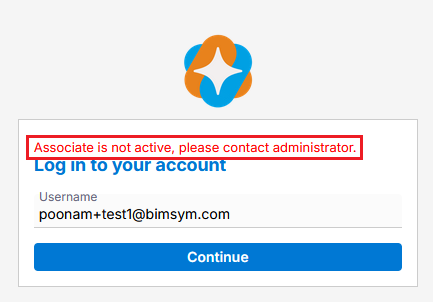
- If your account is inactive, following message will display:
“Associate is not active, please contact the administrator.” - You need to contact the administrator to reactivate the account.
- Once the administrator reactivates the user login, you will be able to log in.
 0
0
 0
0