A campaign report is a detailed analysis that displays the performance of a campaign based on the communication methods used.
Sign in to AgentFront CRM.
From the top menu, choose Campaign.
Campaign dashboard will open with multiple options (Based on the access rights).
Click on Report.
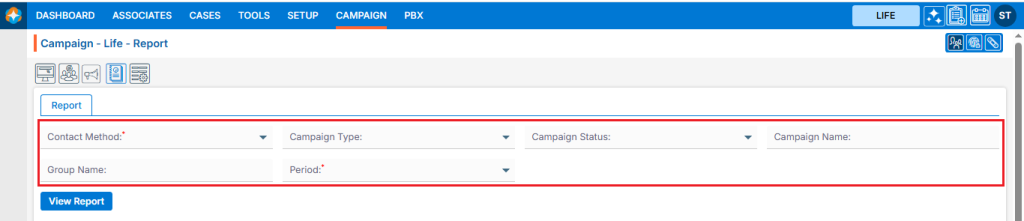
It displays the report page, which covers the following fields:
Contact Methods
Campaign Type
Campaign Status
Campaign Name
Group Name
Period
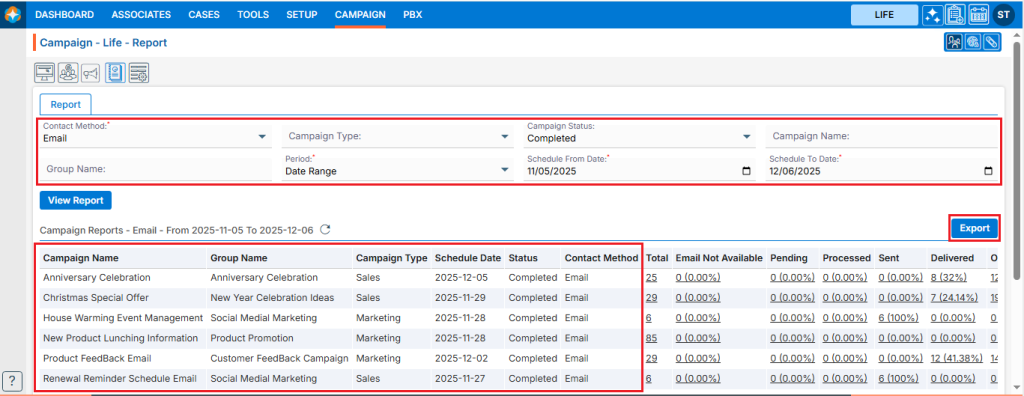
Select the required fields and click on View Report.
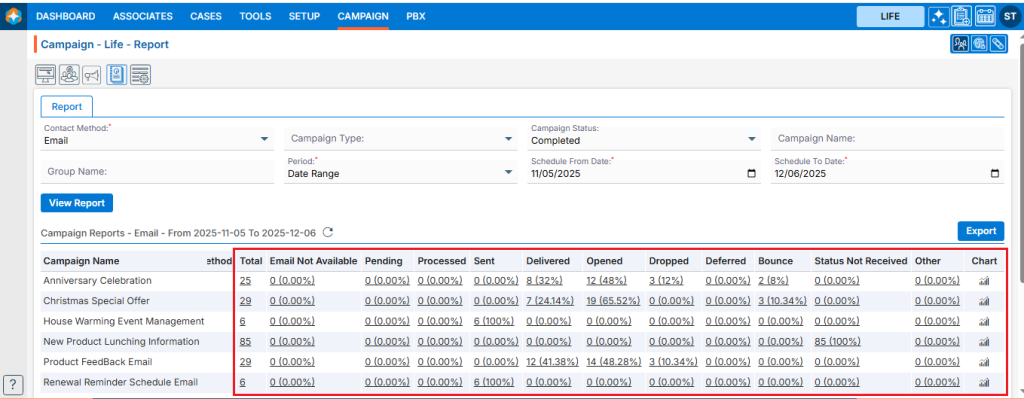
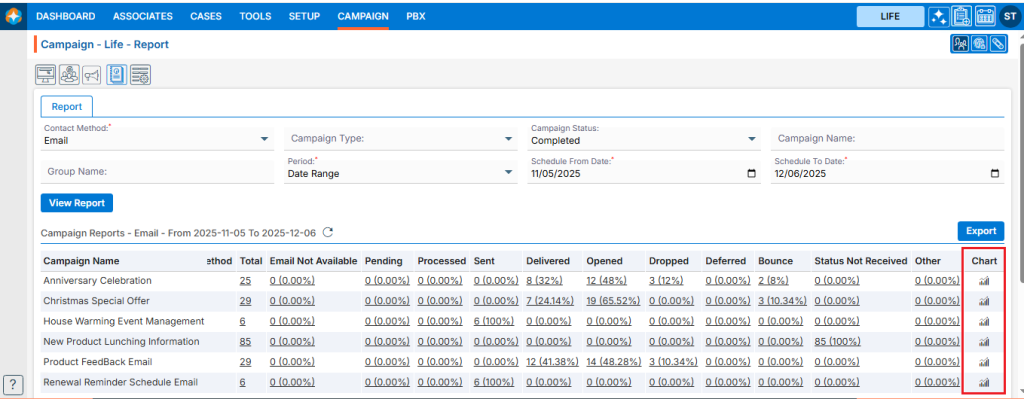
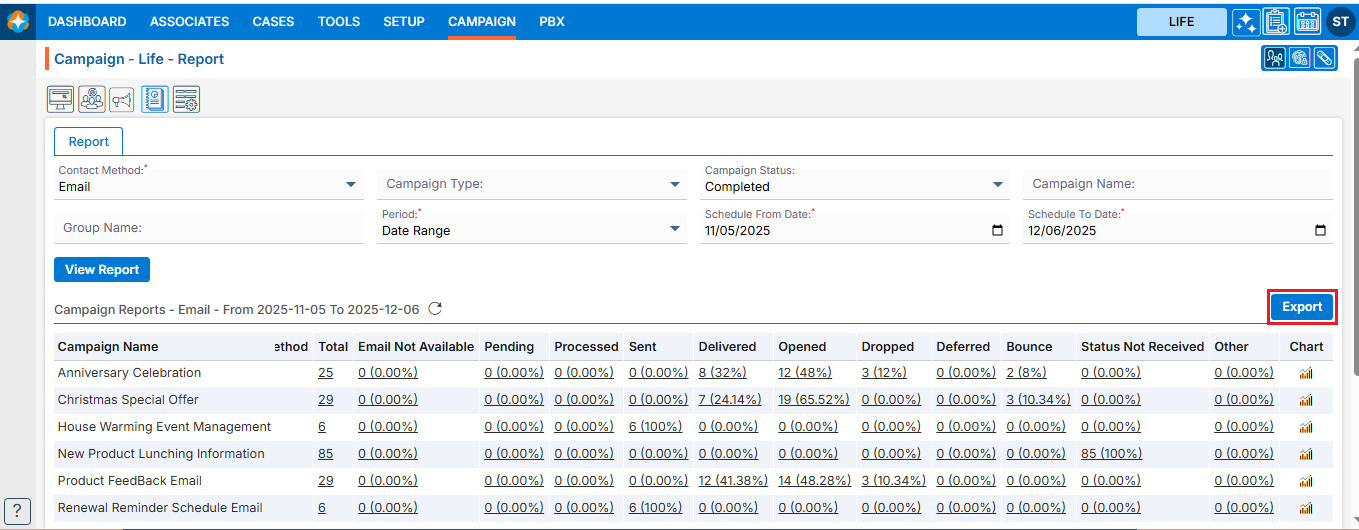
Based on the selected fields the campaign report results will be displayed, and Export button will be enabled on the right pane once report is generated. Below prints screen displays the details of the campaign.Below prints screens will display the stages of the campaign.
View Report Chart
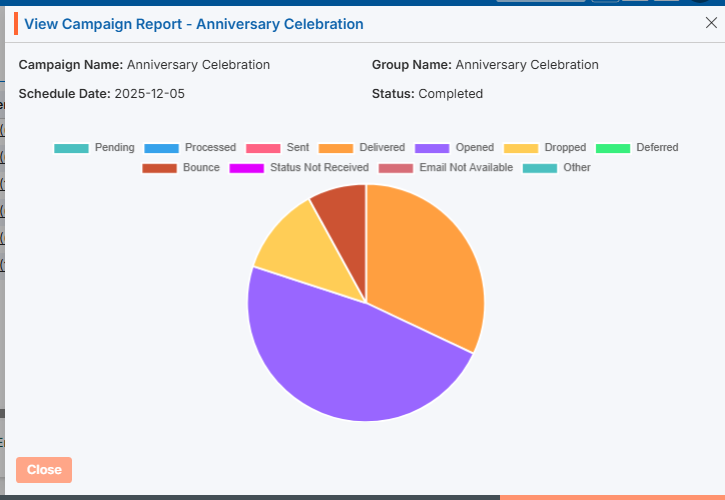
Click on the chart icon to view the report chart.
Clicking on chart will open popup window for selected campaign status.
Export Report
Click the Export button to export the report data. Clicking on ‘Export‘ will download the report for selected campaign criteria.
 - Knowledge Base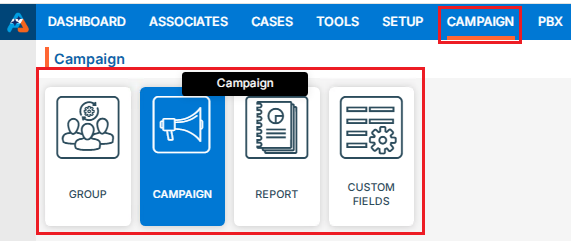
 0
0
 0
0